🖼️ Image to PDF Compressor – Free Online Tool
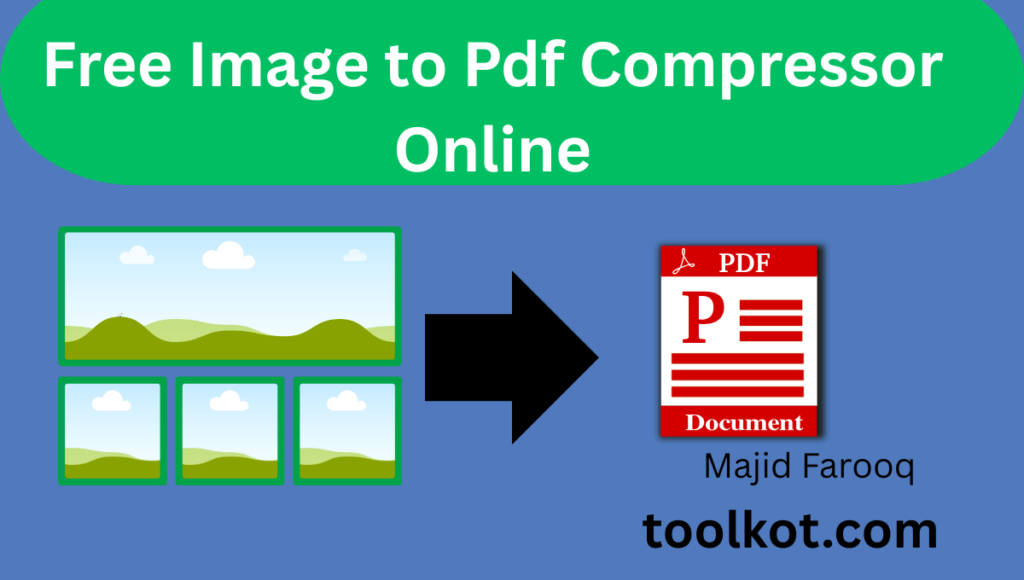
What is this tool? This free Image to PDF Compressor converts up to 100 images (JPG, PNG, WEBP, BMP, GIF) into a single, small-size PDF — directly in your browser. Nothing is uploaded to any server, so it is lightning fast and completely private. You can drag to reorder pages, delete images, choose compression level, page size, orientation, and even password-protect your PDF.
✅ Your PDF is Ready!
📝 How to Use This Tool
- Upload Images: Click the upload box or drag & drop up to 100 images (JPG, PNG, WEBP, BMP, GIF).
- Arrange Order: Drag thumbnails to rearrange pages (or use the ◀ ▶ arrows on mobile). Delete any image with the ✖ button.
- Choose Settings: Select compression level, page size, orientation, margin, and optionally set a PDF password.
- Convert: Press "Convert & Compress to PDF" and watch the live progress bar.
- Download & Share: Download your compressed PDF instantly and share it via WhatsApp, Gmail, Facebook, Telegram or your device's share menu.
💼 Use Cases – Who Benefits From This Tool?
- 🎓 Students: Combine photos of handwritten notes or assignments into one small PDF for easy submission.
- 💼 Job Seekers: Merge scanned certificates, CNIC, and documents into one password-protected PDF for applications.
- 🏢 Office Workers: Convert receipts, invoices, and reports into compact PDFs for email (no attachment size errors).
- ⚖️ Lawyers & Agents: Bundle evidence photos or property documents into secure, ordered PDF files.
- 🛍️ Sellers: Create product catalogs from photos in seconds.
- 👨👩👧 Everyone: Turn family photos, screenshots, or forms into shareable PDF albums.
⭐ Important Features of This Tool
- 🗂️ Batch of 100: Convert up to 100 images at once into a single PDF.
- 🔒 Real PDF Password: True 128-bit PDF encryption — the file asks for a password when opened.
- ↔️ Drag & Drop Reorder: Arrange page order visually before converting.
- ✖️ Delete Any Image: Remove any uploaded image individually or clear all.
- 🎚️ 4 Compression Levels: From best quality to extreme compression (up to 90% smaller).
- 📄 Page Control: A4 / Letter / Legal / Auto-fit, Portrait / Landscape / Auto, with margin options.
- 📊 Live Size Report: See original size, compressed size, and % saved.
- 🕵️ 100% Private: Images never leave your device — no server upload at all.
- 📱 Native File Sharing: Share the actual PDF file directly to WhatsApp/Gmail on mobile.
- 🧠 Smart Auto-Resize: Huge camera photos are intelligently downscaled for tiny PDFs with sharp text.
🎁 Benefits of This Tool
- ✅ Completely free — no signup, no limits, no watermark, no ads inside your PDF.
- ✅ Blazing fast — client-side processing means no waiting for uploads/downloads.
- ✅ Total privacy — perfect for ID cards, contracts and confidential documents.
- ✅ Smaller emails — compressed PDFs pass Gmail's 25 MB attachment limit easily.
- ✅ Works everywhere — Android, iPhone, Windows, Mac, any modern browser.
- ✅ Professional output — clean pages, correct orientation, ordered exactly as you want.
❓ Frequently Asked Questions (FAQs)
1. Is this Image to PDF Compressor free?
Yes, it is 100% free forever. No hidden charges, no signup, and no watermark on your PDF.
2. How many images can I convert at one time?
You can select and convert up to 100 images at a time into a single compressed PDF file.
3. Are my images uploaded to a server?
No. All processing happens inside your browser. Your images never leave your device — that's why it's so fast and private.
4. Which image formats are supported?
JPG, JPEG, PNG, WEBP, BMP and GIF images are supported.
5. Can I set a password on my PDF?
Yes. Enter any password before converting and your PDF will be encrypted with 128-bit security. It will ask for the password whenever it is opened.
6. Can I rearrange the order of images?
Yes. Simply drag and drop the thumbnails to change their order, or use the ◀ ▶ arrow buttons (great on mobile).
7. Can I delete an image after uploading?
Yes. Every thumbnail has a red ✖ delete button, and there is also a "Clear All" button.
8. Does it work on mobile phones?
Yes. The tool is fully responsive and works perfectly on Android, iPhone, tablets and desktops.
9. How much can it compress my images?
Depending on the compression level, file size can be reduced by 50%–90% while keeping good visual quality.
10. Is there a file size limit?
No hard limit — very large images are automatically resized smartly to keep the PDF small and fast.
11. Will there be a watermark on the PDF?
No. Your PDF is completely clean — no watermark, no branding.
12. Can I choose page size and orientation?
Yes — A4, Letter, Legal or Auto-fit page size, and Portrait, Landscape or Auto orientation, plus margin control.
13. Do I need to install any software?
No installation needed. The tool runs directly in your web browser on any device.
14. Can I share the PDF on WhatsApp or Gmail?
Yes. After downloading, use the built-in share buttons, or "📲 Share File" to send the actual PDF via your phone's native share menu.
15. Is it safe for confidential documents?
Absolutely. Nothing is uploaded anywhere, and you can add password encryption — one of the safest ways to convert sensitive images.
🏁 Conclusion
This Image to PDF Compressor gives you everything premium paid tools offer — batch conversion of 100 images, drag-and-drop reordering, real password encryption, extreme compression, and instant sharing — completely free, private and fast. Because everything runs inside your browser, your documents stay on your device and your PDF is ready in seconds. Bookmark this page and use it whenever you need to turn images into a clean, compact, professional PDF.
💬 Need Help or Support?
Contact us anytime — we respond quickly!
✉️ majidfarooq295@gmail.com 📞 +92 314 6685547