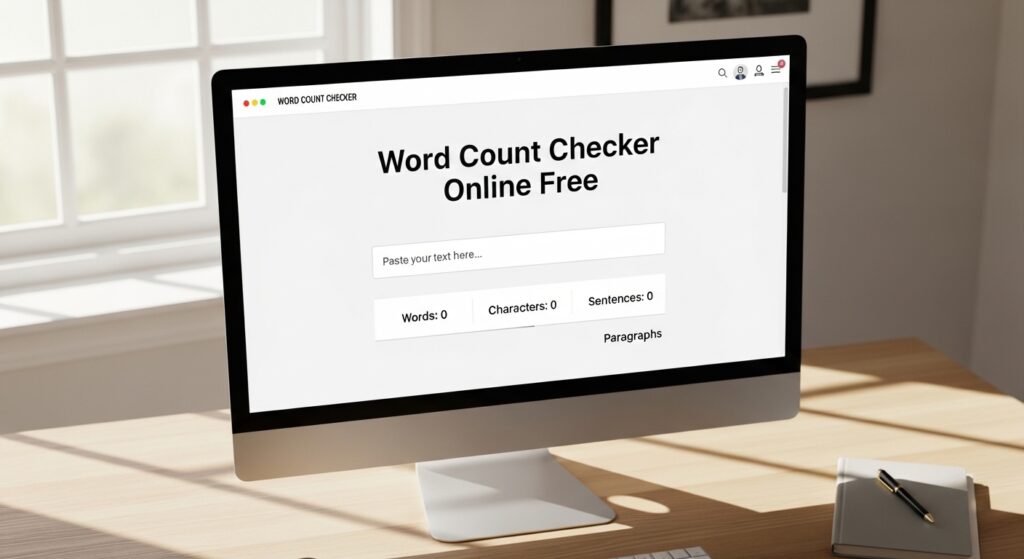
Word Count Checker Online Free

Word Count Checker Online Free
Word Count Checker Online Free – Advanced Text Analyzer
100% Free  ·  No Login Required  ·  Instant Results

Word Count Checker Online Free – Advanced Text Analyzer

The most powerful free word count tool with 20+ real-time metrics, readability analysis, SEO insights, keyword density, and professional text transformation tools – all in one place.

Real-time Analysis SEO Optimized Readability Score Multi-Language Export & Share

Word Count Checker Online Free is a powerful, AI-enhanced text analysis tool designed for writers, bloggers, students, SEO professionals, content marketers, and academics. Whether you're crafting a blog post, academic paper, social media caption, email, or novel chapter — this tool gives you instant, accurate insights about your text. Unlike other tools that only count words, this advanced analyzer provides readability scores, keyword density, sentence structure analysis, SEO recommendations, writing style feedback, and much more — all completely free, with no registration required.

How to Use This Tool
1

Type or Paste Text

Type directly into the editor or paste your existing content from any source.

2

Instant Analysis

All statistics update in real-time as you type — no button press needed.

3

Explore Tabs

Switch between Analysis, Readability, Keywords, Goals, Compare, and Transform tabs.

4

Set Writing Goals

Set word count targets and track your progress with a live progress bar.

5

Export & Share

Export your analysis as PDF, TXT, CSV, or share it via WhatsApp, Facebook, Gmail and more.

⚡ Key Features
📊

20+ Real-Time Metrics

Words, characters, sentences, paragraphs, reading time, speaking time, and more — all live.

🎯

Flesch Readability Score

Industry-standard readability scoring with grade level and audience suitability rating.

🔍

Keyword Density Analyzer

Find top keywords, their frequency and density percentage with visual progress bars.

📝

Writing Style Highlighter

Highlight long sentences, passive voice, transition words, and adjectives for better writing.

🎯

Writing Goal Tracker

Set custom word/character goals and track your progress with a real-time progress bar.

🔄

Text Transformations

Convert case, remove duplicate words, reverse text, remove extra spaces, and more.

📋

Side-by-Side Compare

Compare two text versions side-by-side with full statistical comparison table.

📤

Multi-Format Export

Download your text and analysis as TXT, CSV, or printable report format.

🔔

Session History

Automatically saves your last 5 analysis sessions for quick comparison and recovery.

🌐

SEO Content Analysis

Get SEO readiness score, keyword ratio, sentence length check, and content structure advice.

✅ Benefits of Using This Tool
Completely free — no hidden fees or premium walls
No sign-up, no login, no personal data stored
Works on all devices — desktop, tablet, mobile
Improve your writing quality and readability score
Optimize content for Google SEO ranking
Meet academic and professional word count requirements
Boost productivity with fast, instant analysis
Avoid keyword stuffing with density analysis
📌 Conclusion
Whether you are a professional content writer, a student meeting essay requirements, a blogger optimizing for SEO, or a business professional drafting emails — the Word Count Checker Online Free tool is your all-in-one writing companion. With 20+ real-time metrics, readability scoring, keyword density analysis, text transformation tools, and instant export/share capabilities, this tool outperforms many paid alternatives. Best of all, it is completely free, works instantly in your browser without any sign-up, and keeps all your data private. Start typing above and watch your text come to life with powerful insights!
Quick Actions:
Text Editor — Type or Paste Your Content Below
0 words
📝
0
Words
🔤
0
Characters
0 no spaces
📌
0
Sentences
0
Paragraphs
📖
0
Read Time (min)
🎤
0
Speak Time (min)
🔄
0
Unique Words
📏
0
Avg Word Len
📐
0
Avg Sentence Len
💡
0%
Lexical Density
📌 Sentence & Structure Analysis
Total Sentences0
Short Sentences (<10 words)0
Long Sentences (>30 words)0
Very Long Sentences (>50 words)0
Avg Words/Sentence0
Longest Sentence (words)0
Shortest Sentence (words)0
Questions0
Exclamations0
🌐 SEO Content Analysis
Word Count0
SEO Score0/100
Keyword Ratio0%
Avg Sentence Len0
Paragraphs0
Long Sentences0
SEO Readiness Score
Paste your content to get SEO analysis...
📊 Word Length Distribution
Type text to see word length distribution...
🏷️ Content Type Estimator
Numbers in Text0
Punctuation Marks0
Uppercase Words0
Capitalized Words0
Stopwords Detected0
Content Words0
Repeated Words0
Spaces Count0
Lines Count0
📖 Flesch Reading Ease Score

Add Text for Analysis

Flesch Reading Ease score will appear here once you enter text. Higher score = easier to read.

Waiting for input
Score Reference Guide
Very Easy (90-100)
5th Grade
Easy (70-90)
6th Grade
Standard (50-70)
7-9th Grade
Difficult (30-50)
College
Very Hard (0-30)
Professional
📐 Gunning Fog & Other Indices
Gunning Fog Index
Flesch-Kincaid Grade
SMOG Index
Automated Readability
Coleman-Liau Index
Linsear Write
💡 Readability Tips
Enter text to receive personalized readability improvement tips...
🔍 Top Keywords & Density Analysis
Type text to see keyword analysis...
🔥 Keyword Cloud (Top 30)
Keyword cloud will appear here...
Highlight:
📝 Highlighted Text View
Your text with highlights will appear here. Enter text in the editor above and select a highlight option.
🟡 Long Sentence (30+ words) 🔴 Passive Voice 🟢 Transition Word 🟣 Adjective
Writing Goal Progress
0%
Current: 0 Remaining: 500 Target: 500
⏱ Time & Productivity Estimates
To complete goal (avg writer)
To complete goal (fast writer)
Words left to write
Estimated pages (A4, 500 wpg)

Paste two different text versions to compare their statistics side by side.

📝 Text Version A
📝 Text Version B
Enter text in both boxes to compare...

Apply powerful text transformations. Original text in the editor will be transformed in place.

Export your text and analysis in multiple formats.

📄Download as TXT
📊Export Stats CSV
🌐Export as HTML
🖨️Print / Save PDF
📝Export Markdown
{ }Export Stats JSON

Last 5 saved text snapshots. Click "Save to History" to save current text.

No history yet. Click "Save to History" to save a snapshot.
Share This Tool With Your Friends & Colleagues
📞 Need Help or Support?
Feel free to reach out for any questions, custom features, or technical assistance.

Leave a Reply

Your email address will not be published. Required fields are marked *

Back to top button