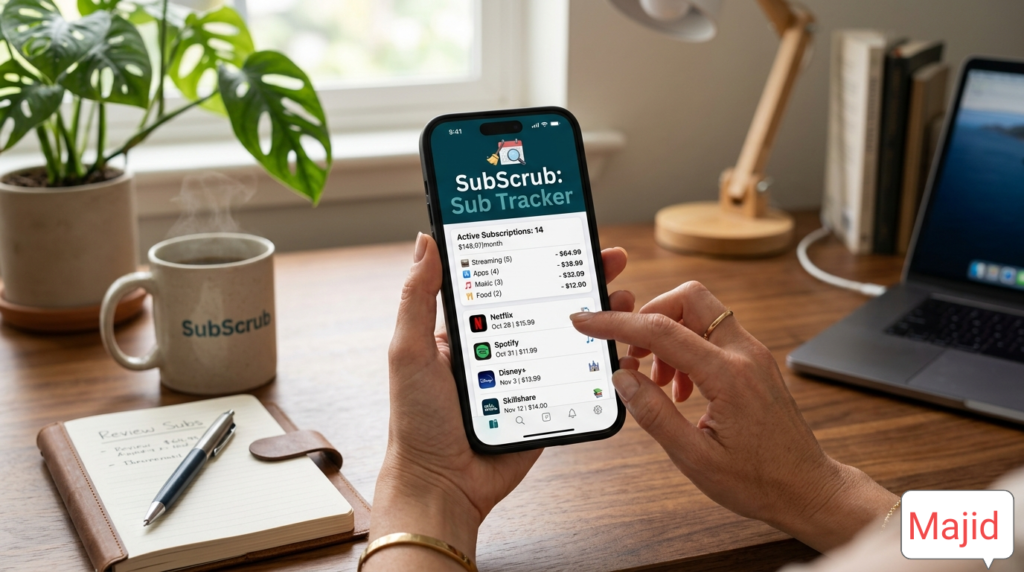
SubScrub: Advanced Subscription Tracker
What is this tool?
SubScrub is a highly advanced, privacy-first standalone web utility designed to combat subscription fatigue. In today's digital economy, users accumulate recurring charges for streaming services, software, gym memberships, and premium apps, often losing track of their monthly outflow. SubScrub allows you to input, categorize, calculate, and actively manage your recurring expenses in one clean dashboard. It acts as your personal financial auditor, identifying "ghost subscriptions" and providing immediate links to cancel unwanted services.
How to use this tool
- Add a Subscription: Use the form on the left to enter the name of your service (e.g., Netflix, Gym).
- Input Financials: Enter the cost and select the billing cycle (Weekly, Monthly, or Yearly). Our smart engine will automatically normalize the costs.
- Categorize & Evaluate: Select an expense category and give the subscription a value rating (Essential, Needs Review, or Cancel).
- Add Cancel Link: (Optional) Paste the direct URL to the cancellation page of the service for one-click access later.
- Review Dashboard: Watch your dashboard instantly recalculate your total monthly and yearly financial commitments. Click "Cancel Now" directly from the list to stop unwanted payments.
Use Cases: Who Benefits from SubScrub?
- Budget-Conscious Individuals: People looking to reduce their monthly overhead by identifying redundant services.
- Freelancers & Entrepreneurs: Professionals who need to track multiple SaaS tools and separate business from personal expenses.
- Family Managers: Parents tracking multiple household streaming, gaming, and utility subscriptions.
➕ Add New Subscription
📊 Expense Dashboard
Total Monthly
Total Yearly
Active Subscriptions (0)
10 Premium Advanced Features Included
- Smart Cycle Normalization: Automatically calculates equivalent monthly and yearly costs regardless of whether you pay weekly, monthly, or annually.
- ROI / Value Rating System: Categorize your expenses by personal value (Essential, Review, Cancel) to prioritize budget cuts.
- One-Click Cancel Routing: Stores exact cancellation URLs to bypass the deliberate maze companies build to stop you from leaving.
- Local AES-Level Privacy Engine: 100% of your financial data is stored locally in your browser's Cache/LocalStorage. No server processing.
- Multi-Currency Compatibility: Instantly switch visual representations for international users.
- Instant CSV Export: Click a button to download your data for Microsoft Excel or Google Sheets integration.
- Zero-Latency DOM Updates: Built on pure Vanilla JS for instant calculations without page reloads.
- Category Analytics: Groups expenses to show exactly where your money leaks (e.g., Entertainment vs. Software).
- Native Web Share Integration: Utilize your device's native sharing capabilities to send the tool via WhatsApp, Gmail, etc.
- Responsive Full-Width Architecture: Code natively bypasses sidebar constraints to utilize 100% of screen real estate on mobile and desktop.
Core Benefits of SubScrub
By actively using SubScrub, you are taking proactive steps against financial waste. The average consumer underestimates their monthly subscription spend by 2.5 times. By forcing visibility onto these automated transactions, SubScrub provides the psychological friction needed to cancel unused services, potentially saving you hundreds or thousands of dollars annually.
15 Important FAQs About SubScrub & Subscription Fatigue
Conclusion
Taking control of your finances shouldn't require an expensive app. With SubScrub, you have a professional, high-speed, secure, and intuitive tool to map out exactly where your money is going. Stop paying for services you don't use, optimize your monthly budget, and beat subscription fatigue today.
🤝 SUPPORT us to Maintain This Tool
If this tool helped you save money, consider supporting the developer. Your donations keep this tool 100% free and ad-free.
🏦 Bank Transfer (HBL Pakistan)
₿ Cryptocurrency
⚠️ Warning: Send only via BSC (BEP-20) network.
Need Help? Contact Developer
Email: majidfarooq295@gmail.com
Cell/WhatsApp: +92 314 6685547