Ultimate Freelancer Time Tracker & Auto Invoice Generator
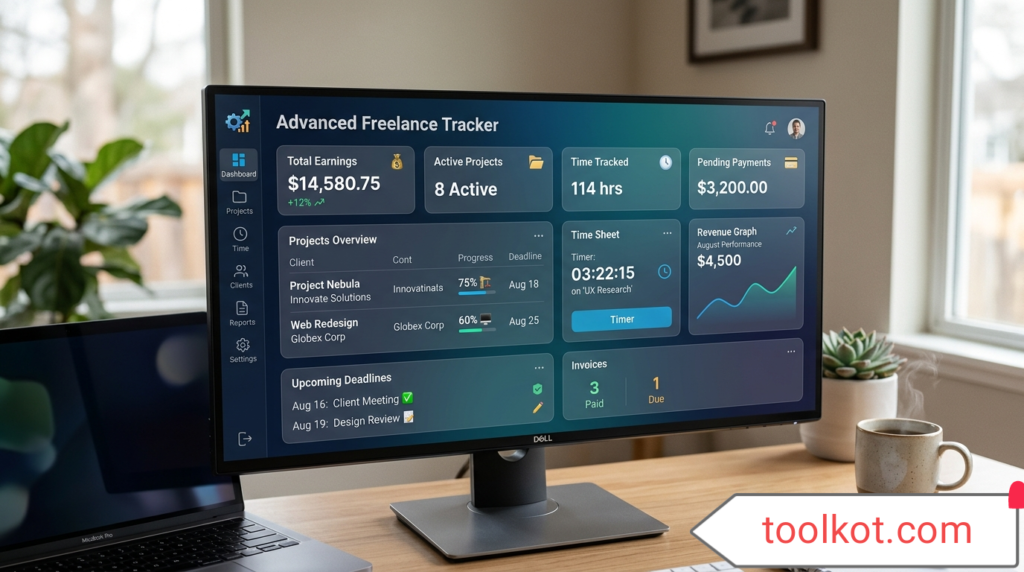
What is this tool? The Freelancer Time Tracker is a robust, web-based utility designed for the exploding freelance economy. It eliminates the need for overcomplicated software like Toggl by offering a streamlined, mobile-first interface. It tracks your billable hours in real-time and automatically converts those logs into professional, ready-to-print invoices instantly.
How To Use This Tool
- Setup Project: Enter your Client Name, Project Name, and Hourly Rate in the controls panel.
- Start Tracking: Click the "Start Timer" button when you begin work. The tracker runs locally—you can safely minimize the browser.
- Log Work: Click "Stop & Log" to record the session. You can also add manual expenses (like software or travel).
- Generate Invoice: Click "Generate Invoice" to instantly create a breakdown of your hours, apply taxes/discounts, and download a perfect PDF.
Use Cases: Who Benefits?
- Web Developers & Coders: Track coding sprints and server configuration time.
- Graphic Designers: Log hours spent on revisions and charge accurately.
- Consultants & Virtual Assistants: Keep transparent records of consultative hours to build strong client trust (a strong moat for freelancers).
| Date | Client/Task | Time | Amount |
|---|
INVOICE
Generated:
Client Name
Project Details
| Description | Hours | Rate | Line Total |
|---|
Total Due:
Important Features of the Tool
- Local Storage Architecture: Zero delay, zero data loss upon refresh.
- Print-Ready CSS Protocols: Strips buttons and UI elements when printing to create a clean A4 invoice.
- Tax Calculation: Built-in dynamic calculation for invoice generation.
- Mobile Browser Mode Compatible: Fluid grid scaling for all smartphone devices.
15 Important FAQ's
1. Do I need an account to use this?
No. This is a standalone tool operating directly in your browser. No registration required.
2. Will I lose my data if I close the tab?
No. Your timer state and logged entries are saved natively in your browser's local storage.
3. Is my client data safe?
100% safe. Data never leaves your device and is not sent to any external server.
4. Can I export the invoice to PDF?
Yes, click "Generate Invoice" then "Print / Save as PDF". Choose "Save as PDF" in your print dialog.
5. Can I use multiple currencies?
Yes, USD, EUR, GBP, and PKR are fully supported via the dropdown.
6. How does the active tracking work?
It uses JavaScript timestamps to calculate elapsed time, ensuring accurate tracking even if the browser sleeps.
7. Is this mobile-friendly?
Yes, the tool is strictly designed mobile-first and is compatible with iOS and Android browsers.
8. Are there any premium fees?
This tool costs zero. It is totally free from every point of view.
9. Can I clear my history?
Yes, the "Clear All" button wipes your local browser storage instantly.
10. Can I edit a logged entry?
Currently, you manage logs by adding manual adjustments or clearing the board for a new invoice session.
11. What happens if my device turns off?
As long as the timer wasn't running, your previous logs remain safely stored.
12. Does it work offline?
Yes! Because the logic is entirely JavaScript-based, you can log time without an active internet connection.
13. Can I use this for multiple clients at once?
Yes, just change the "Client Name" field before hitting start. Logs differentiate by client.
14. Are there character limits on project names?
No, but keeping them concise helps invoice formatting.
15. How accurate is the timer?
Extremely accurate down to the millisecond, utilizing standard system time APIs.
Conclusion
This premium Freelancer Time Tracker represents a paradigm shift in how independent workers manage their business. By combining time tracking and invoicing into a single, lightning-fast, secure standalone interface, it allows you to focus on your work rather than administrative overhead. Start maximizing your billable hours today.
❤️ SUPPORT us to Maintain This Tool
This advanced tool is provided completely free of charge. If it helps your freelance business, consider supporting the developer.
🏦 Bank Transfer (HBL Pakistan)
Account Holder: Majid Farooq
Bank: Habib Bank Limited (HBL)
IBAN: PK40HABB0001947100292703
📱 Confirm via WhatsApp
₿ Crypto (BSC BNB Smart Chain)
Network: BNB Smart Chain (BSC / BEP-20)
Accepted: BNB, USDT, USDC
Wallet: 0x896045806d003999a3014cfa74bdf1e14342c222
⚠️ Warning: Send only via BSC network.